raven The AI app that gets real work done.

Raven browses the web for you, researches with sources, talks out loud, makes images and documents, and joins your group chats.

Free to start. Built in Toronto by Dipole ML Inc.

What is Raven?

Raven is an AI assistant you can hand real work to. Ask it anything and it answers. Give it a job and it opens a browser, reads the web, writes the report, makes the image, drafts the document, and tells you when it's done.

  • Browses for you
  • Deep research
  • Talk
  • Studio
  • Documents
  • Routines
  • Group chats

What Raven does

Hand it the whole job.

Browse for me

It opens a browser and does the task.

Ask for the cheapest direct flight to Lisbon and Raven goes and finds it, in a real browser, one step at a time. You watch every move right in the chat.

  • Take over any time. If a site needs your sign in, you type it yourself and hand control back.
  • Raven never sees your passwords.
  • Sign ins are saved to your account, so the next task starts faster.
Raven browsing a flight site inside a chat, listing three direct Toronto to Lisbon flights with prices, with a Take over button. The take over screen: you are in control of the browser and sign in yourself, then tap Done, hand back to Raven.

Deep research

Research you can check.

For the big questions, Raven plans the work, reads the web and writes you a report. Every point links to where it came from, so you can see the source for yourself.

  • Close the app. Raven keeps working and tells you when the report is ready.
  • See every page it read and every one it cited.
  • Listen to the report, or save it as a document.
Raven offering to research a question properly: it will plan, read the web and write a short report with sources. A finished research report in Raven with numbered findings, source markers, 14 sources, and Listen and Save as document buttons. The Sources sheet in Raven: 14 pages read, 6 cited, each listed with its site and date.

Studio

Describe it. Raven makes it.

Studio turns a sentence or a photo into an image. Keep chatting while it works. Change it with words, keep every version, and sharpen your favourites to HD.

  • Square, tall or wide.
  • Start from your own photos.
  • A gallery of everything you have made.
Raven Studio asking What would you like to make, with four example images to start from. An image of a lighthouse on a cliff at dusk made by Raven inside a chat, with an HD button. The Studio gallery in Raven: a grid of images, some marked HD.

Documents

It hands you the file.

Ask for a memo, a comparison or a plan and Raven writes it properly, with clean formatting and real tables. When you need a file, it makes the document for you to open, share or download.

  • Attach photos and files and ask about them.
  • Projects keep chats, files and instructions together.
  • Everything Raven makes is waiting in Files.
Raven replying with a one page memo as a Word document, with Open and Share buttons. A Raven reply with a clean comparison table of Raven Pro and Raven Ultra. The Raven sidebar with Studio, Routines, projects and recent chats. The account at the bottom is a Raven Ultra member with a golden tick.

Routines and memory

Works while you're away. Remembers what matters.

Set a routine and Raven runs it on schedule: a morning brief at 7:30, a fare check every Monday. It learns how you like things done, and you decide what stays.

  • See, change or clear what Raven remembers.
  • Remind me brings a reply back when you need it.
  • Go off the record for a chat that is not saved or remembered.
The Routines screen in Raven with a Morning brief on weekdays at 7:30 AM and a Lisbon fares check on Mondays. A morning brief from a Raven routine: three meetings, the weather and four stories. The Memories screen in Raven listing what it remembers, with switches to use or stop using memories and a Clear all button.

Talk

Just say it.

Hi, it's Raven. Tell me what's on your mind and I'll get started while we talk.

Talk is a real conversation. Raven speaks first, shows live captions and stops the moment you cut in. Ask for something bigger and it gets to work while you keep talking.

Talk with Raven
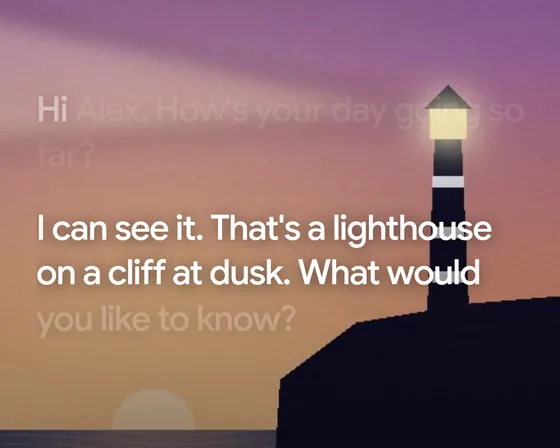
Show Raven: the camera is on during Talk and Raven describes a lighthouse on a cliff.
Talk in Raven with live captions of the conversation, a brief that is ready to hear, and Mute, Show and End buttons.
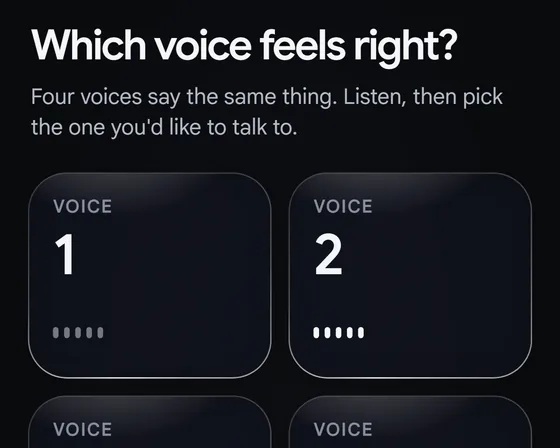
  • Raven asking Which voice feels right, with four voices to listen to.

    Your voice, your name for it

    Pick from four voices in a blind test, then call yours whatever you like.

  • Raven looking through the camera and saying: I can see it. That's a lighthouse on a cliff at dusk.

    Show Raven

    Turn on the camera and ask about what is in front of you.

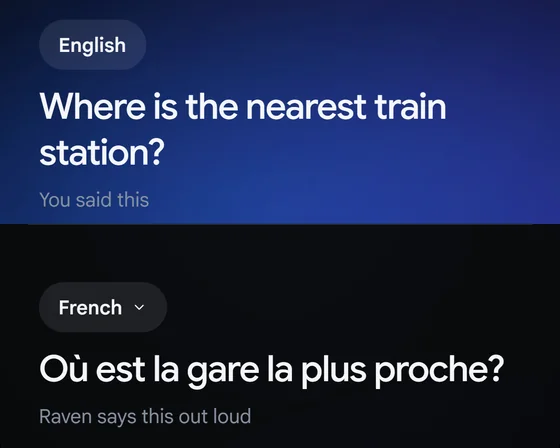
  • Interpreter in Raven: the question Where is the nearest train station in English, and the same question in French for the other person.

    Interpreter

    Speak in one language and Raven says it in another. Each person reads their own side of the screen.

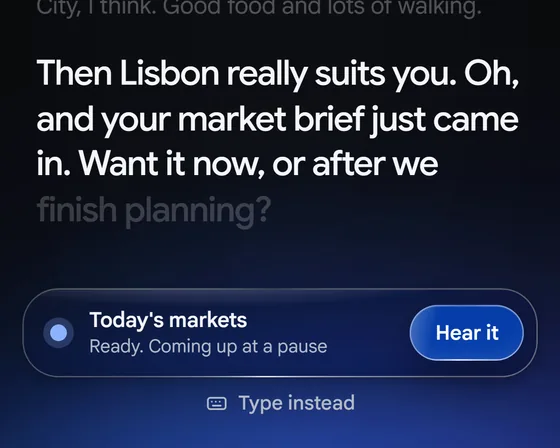
  • Raven telling you mid conversation that your market brief just came in, with a Hear it button.

    Briefs at a pause

    Longer answers arrive when there is a gap, ready for you to hear.

Better together

Bring everyone into the chat.

Share any chat by username, name, email or link. Everyone sees the same conversation, live. Talk it through as a group, and mention @Raven when you want it in.

The Share chat sheet in Raven: add people by username, name or email, choose View only or Collaborate, or copy a chat link.
A group chat in Raven where three people plan a launch and one of them asks @Raven what is still open.
A Raven group chat with a Catch up on 15 messages button and verified ticks beside people's names.
  • View only or collaborate

    You choose who can read along and who can take part.

  • Catch up in one tap

    Raven sums up what you missed since you last looked.

  • Discussion mode

    Talk as a group. Raven joins only when someone asks.

  • Ask about any message

    Press and hold a message and bring Raven in on it.

And a lot more

The small things are done properly too.

  • Two models, one picker

    Raven Flash is quick and light for everyday questions. Raven Max reasons deeply for hard, long work. Switch in any chat.

  • Shows its thinking

    Choose how long Raven thinks, and open its reasoning to see how it got there.

  • Files, with a safety net

    Every image, document and saved reply in one place, plus a 30 day Bin.

  • Bring your memories

    Coming from another assistant? Bring what it knows about you, so you don't start from zero.

  • Sounds like you asked

    Set what Raven calls you, how long replies run and how you spell.

  • Dates become plans

    A date in a reply is one tap from your calendar or a reminder.

  • Studio, in any shape

    Describe a picture in a sentence and Studio makes it: square, tall or wide, and sharpened to HD when you want.

  • Share a reply as a card

    Turn a good answer into a clean card and send it anywhere.

  • Save it, find it

    Bookmark any reply. Search every chat, or find a word inside one.

  • Listen instead

    Have Raven read a reply, a brief or a whole report out loud.

Every screen

One Raven, everywhere you work.

Raven is on the web today. Apps for iPhone, iPad, Mac, Android and Windows are on the way. Your chats, files and memories follow your account.

Raven on a Mac: a sidebar with chats and projects beside a conversation planning an offsite.
Raven on an iPad in landscape, offering to research a question with sources.
The Raven home screen on an iPhone in the light theme, greeting the user with three things that are ready.

Light or dark, Raven follows your device.

Until the apps land, Raven on the web works in any modern browser, and you can add it to your Home Screen or Dock.

Coming with the iPhone app

Raven, wherever you glance.

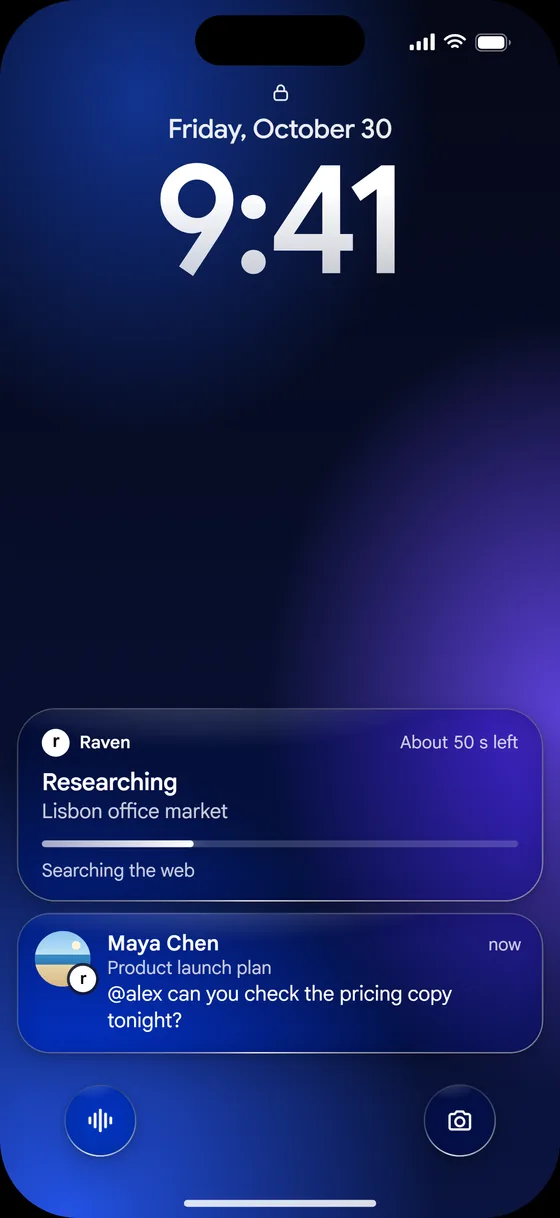
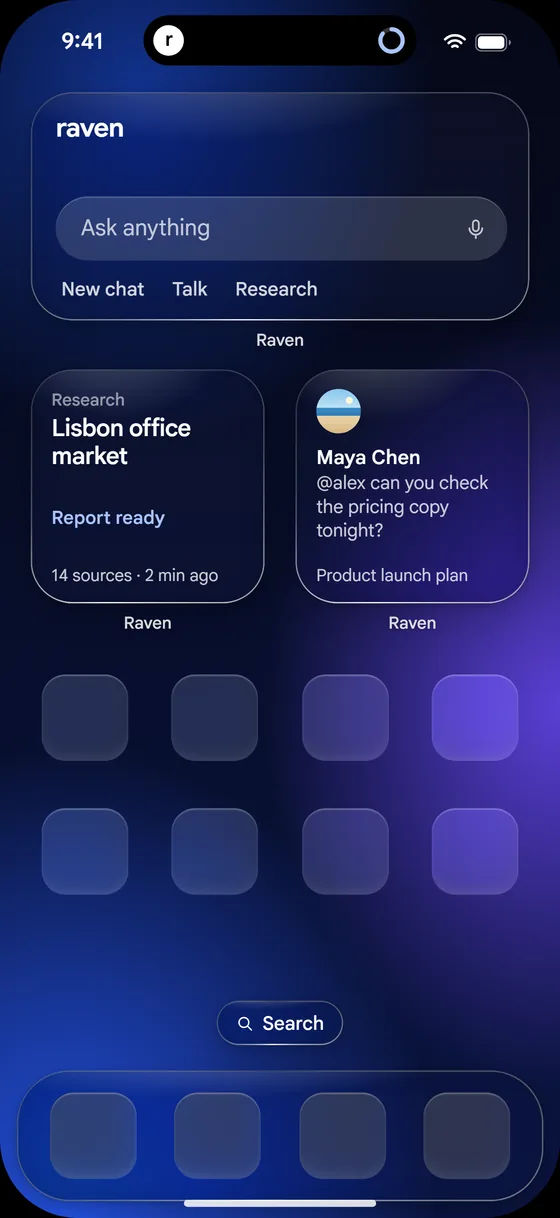
Home Screen widgets, live progress on the Lock Screen, and Ask Raven from Siri and Shortcuts. All built natively for iPhone.

An iPhone Lock Screen showing a Raven research task in progress and a message from a shared chat.
An iPhone Home Screen with Raven widgets: an Ask anything box, a research report that is ready, and a message from a shared chat.

Pricing

Start free. Add room when you need it.

Every tier gets the whole app. Paying adds more room to use it every day.

Raven Free

$0forever

For everyday questions and getting to know Raven.

  • A daily allowance that refills every morning
  • 30 minutes of browser time a day
  • 10 hours of Talk a day
  • Image making included
  • Shared chats and Discussion
Start free

Most popular

Raven Pro

$20a month

For people who work with Raven every day.

  • About 12 times the Free allowance
  • 2 hours of browser time a day
  • 10 hours of Talk a day
  • More room for images
  • A blue tick on your profile
  • Long chats, documents and slides
Get Raven Pro

Raven Ultra

$100a month

For the hardest, longest work you do.

  • About 5 times the Pro allowance
  • 8 hours of browser time a day
  • 10 hours of Talk a day
  • The most room for images
  • A golden tick on your profile
  • The fullest allowance Raven offers
Get Raven Ultra

Prices in US dollars. Pay yearly and get two months free. Cancel any time.

You're in control

Private where it counts.

  • Raven never sees your passwords

    When a site needs a sign in, you take over the browser and type it yourself.

  • You decide what it remembers

    See, change or clear memories any time, or switch them off.

  • Off the record

    Start a chat that is not saved or remembered.

  • Two step sign in

    Add a second step and recovery codes to protect your account.

  • Report and block

    Flag a reply, a message or a person right where it happens.

  • Your data, your call

    Export your data or delete your account from Settings.

Settings in Raven for a Raven Ultra member, with a golden tick beside their name and rows for Appearance, Personalization, Voice and Talk, Browser and saved logins, and Memories.

Raven is AI and can make mistakes. Check anything important.

Questions

Good to know.

What is Raven?

Raven is an AI assistant app made by Dipole ML Inc., a Canadian AI lab based in Toronto. You can ask it anything, and you can hand it real work: it browses the web for you, researches topics with sources, holds voice conversations, makes images and documents, runs routines on a schedule, and works in group chats.

Is Raven free?

Yes. Raven Free costs $0 and includes a daily allowance that refills every morning, 30 minutes of browser time a day, Talk, image making and shared chats. Raven Pro is $20 a month and Raven Ultra is $100 a month, in US dollars, for people who need more room. Paying yearly gives you two months free.

What can Raven do that a normal chatbot can't?

Raven does the work instead of only describing it. It opens a real browser and completes tasks step by step, runs deep research and cites its sources, talks with you out loud with live captions, makes images in Studio, writes documents you can download, runs routines such as a morning brief, and joins shared chats when someone mentions @Raven.

Where can I use Raven?

Raven runs in any modern browser at raven.dipoleml.com today, on a phone, tablet or computer. Apps for iPhone, iPad, Mac, Android and Windows are coming soon. Your chats, files and memories follow your account across every device.

Who makes Raven?

Raven is made by Dipole ML Inc., a Toronto-based Canadian sovereign frontier AI lab that builds the Raven model family, DCode, and the DipoleML API. The company was founded in 2026 and is headquartered in Toronto, Ontario.

Which AI models does Raven use?

Raven runs on the Raven model family from Dipole ML Inc. Raven Flash is quick and light for everyday questions. Raven Max is the deepest reasoning model, for hard, long work. You can switch between them in any chat and choose how long Raven thinks.

Can Raven really use a browser for me?

Yes. Raven opens a real browser, does the clicking and reading, and shows each step in your chat. If a site needs you to sign in, you take over, type your details yourself and hand control back. Raven never sees your passwords. Raven Free includes 30 minutes of browser time a day, Raven Pro 2 hours and Raven Ultra 8 hours.

Does Raven remember things about me?

Only if you want it to. Raven can remember things that help it help you, such as how you like answers written. You can see, change or clear those memories at any time, switch memory off, or start an off the record chat that is not saved or remembered.

Can I use Raven with other people?

Yes. You can share any chat by username, name, email or link, and choose whether people can only view it or collaborate. Everyone sees the conversation live. In Discussion mode the group talks among themselves and Raven joins only when someone mentions @Raven.

How does Talk work?

Talk is a live voice conversation with Raven. Raven speaks first, shows captions as it goes, and stops when you interrupt. You choose a voice in a blind test of four and give it a name. During Talk you can turn on the camera to show Raven something, or use Interpreter to speak across two languages.

Raven app icon

Give Raven something real to do.

Free to start. No download needed.